Ein herzliches Grüß Gott!
»Grüß Gott« sagt man in Bayern zur Begrüßung. Dem Gegenüber spricht man somit gleichsam einen Segen zu- ein guter Auftakt für ein Gespräch.
Wir freuen uns, dass Sie sich für die Wieskirche interessieren und entrichten Ihnen dieses »Grüß Gott« von Herzen.
Hoc loco habitat fortuna,
hic quiescit cor
- Hier wohnt das Glück, hier findet das Herz seine Ruh` -
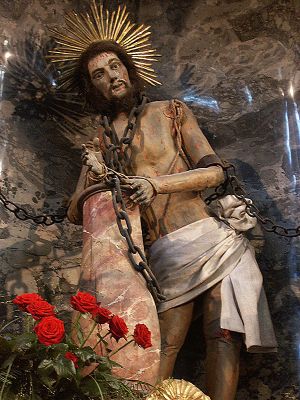
Bei aller scheinbarer Leichtigkeit des Rokoko ist die Wieskirche von einer tiefen Innerlichkeit geprägt und von großen theologischen Themen bestimmt: Im Mittelpunkt der gegeißelte Heiland Jesus Christus, der Sohn Gottes, der sein Leben für uns Menschen hingibt und Gott Vater darbringt; daraus erwächst Erlösung, Segen und die Herrlichkeit des Himmels. Die Summe dieser Theologie findet sich in dem Gebet nach der Wandlung in der Meßfeier, wo die Mitte unseres christlichen Glaubens zum Ausdruck kommt; »Deinen Tod, oh Herr, verkünden wir, und deine Auferstehung preisen wir, bis du kommst in Herrlichkeit»
»Die Wies ist ein Stück Himmel
auf dieser leidvollen Erde«
Im Jahr besuchen eine Million Menschen aus der ganzen Welt die Wies – und sie kommen aus dem Staunen nicht mehr heraus: die wunderbaren Formen und Farben, die lichtvolle Heiterkeit des Raumes, die tiefreligiöse Frömmigkeit der Darstellungen – und dann die Erfahrung von schöner Musik – das alles wird zu einem beglückenden Gesamterlebnis »Wunder Wies«.
zum ganzen Artikel

